
A customer-service employee types, “Replace the damaged unit from last Friday's order and send it to the new address.” The assistant responds with confidence. The employee still needs to confirm which order, which unit, what address, and whether the replacement needs approval.
A chat interface can make the request feel easy while leaving the transaction unclear. Choose the interface that helps people complete and correct the actual business action.
Compare the same task in both interfaces
Consider a hypothetical replacement-order workflow. The task is established: select the original item, document the reason, confirm the destination, and request approval when policy requires it.
| Step | Chat approach | Structured approach |
|---|---|---|
| Identify order | Assistant interprets “last Friday” and asks if uncertain | Employee selects a dated order and sees its items |
| Choose replacement | Employee describes “the damaged unit” | Employee chooses the item and quantity |
| Correct address | Employee sends another message | Employee edits a visible destination field |
| Review commitment | Assistant produces a summary | Employee sees order, amount, address, and approval status together |
| Submit | Explicit confirmation must separate intent from execution | Defined submission creates a named request record |
Both can work if the system supports the necessary rules. The comparison asks how much interpretation and correction you are adding to a repeated transaction.
Give the user a stable thing to correct
In chat, the employee may write “use the other address” after discussing two destinations. A structured request can show the selected address beside the affected order before submission. The user can correct that field without rewriting the whole request.
A combined interface can preserve this benefit. Let the employee describe the situation in chat, then populate a draft form that still requires review. Keep the draft visibly separate from the submitted request. The employee should know which version they are editing and whether anyone has acted on it.
Do not make conversation history the only record of the decision. The operations team needs to locate the replacement request, see its status, and identify which approved destination applies. That requirement remains even if chat supplies the initial input.
Test the difficult correction before selecting the front end
Give the prototype four concrete tasks: choose between two orders from the same date, change quantity after drafting, correct the destination before submission, and withdraw a submitted request. Ask staff to show the final record after each action.
Observe whether users can distinguish a request from a completed shipment. A friendly response such as “all set” is inadequate if approval is still pending. The interface needs language and state that match what the system has done.
Also check repeat use. A person who submits twenty routine replacements may prefer a compact form with known choices. Someone investigating an unfamiliar problem may benefit from a conversation that helps identify the appropriate action. You can provide both without forcing all work through the same entry point.
Make corrections visible before any action occurs
Use a fictional replacement request and change the delivery address halfway through. In chat, ask the system to show the final structured request before acting. In a form, check that the changed address and selected order remain visible together.
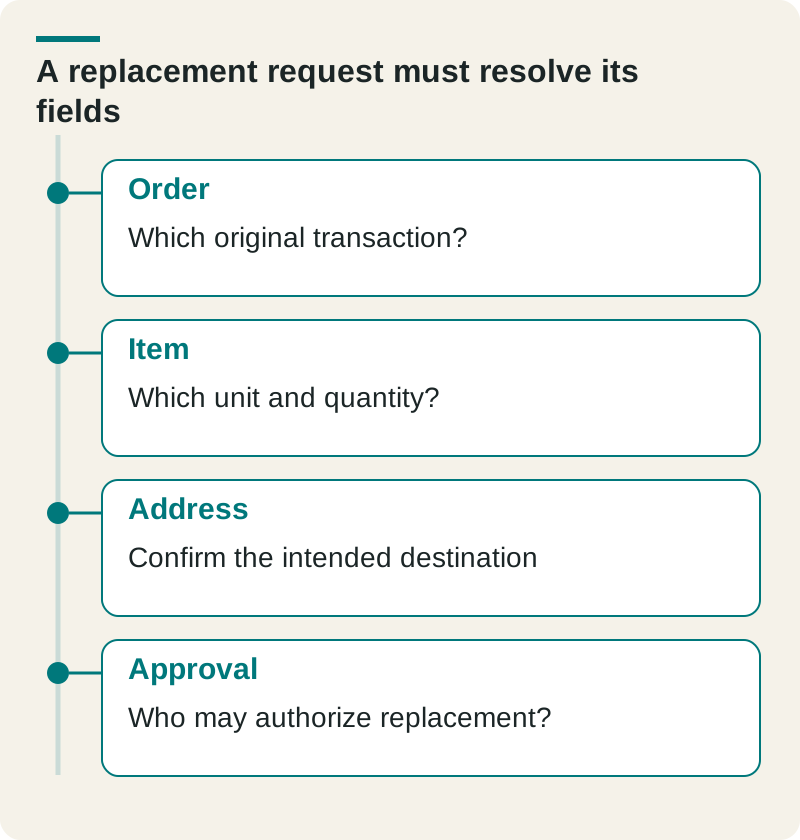
- Order
- Which original transaction?
- Item
- Which unit and quantity?
- Address
- Confirm the intended destination
- Approval
- Who may authorize replacement?
The acceptance test is whether the employee can detect and correct the wrong record before the replacement is authorized. A friendly response is not a completed transaction. Choose the interface that makes the recurring correction and approval work clear for the people using it.
Check this before you proceed
- Require confirmation of the final request.
- Test a correction to an earlier field.
- Store the approved values with the transaction.
Download this article’s editable worksheet (CSV). Add your evidence, owner, and review date. For the next related decision, read Internal Tool Requirements: Define the Records, Actions, and Exceptions.
Spend development effort on the useful interaction
Choose the form when the task has stable fields and the user must inspect a specific commitment. Choose chat when interpreting an open question supplies enough value to justify the extra ambiguity. Use chat-to-draft when conversation helps prepare the request but the business still needs a structured review.
Our requirements guide defines the underlying records and actions. For help building an interface around the way your team works, explore custom software development with The Ops Guide.