
A shared drive is often enough when clients mainly need to find, upload, and review files. A client portal becomes worth considering when delivery also depends on structured requests, visible status, approvals, or handoffs. Start by identifying the job your current setup cannot do reliably, then test whether a portal improves that job enough to justify its upkeep.
A polished login screen is easy to appreciate in a demo. The harder question is whether your team and your clients will use it to move work forward.
Identify the recurring problem before choosing the software
List the last few moments when delivery stalled. Was someone unable to find a file? Did the team receive an incomplete request? Was the current version unclear? Or did everyone have the document, but nobody knew who needed to approve it?
Those failures need different remedies. Clear folder ownership may solve a file-finding problem. A required intake field may solve a missing-information problem. An approval step needs an agreed decision, decision-maker, and record of what was accepted.
Write a requirement in this form: “When the client submits a change request, the delivery owner receives the required details and the client can see whether it is awaiting review, accepted, or needs more information.” This gives you something to test in a drive-based process or a portal.
Before adding another system, map that path. Workflow mapping helps define the starting event, information needed, responsible person, exceptions, and finished outcome.
When a shared drive is enough
Keep a shared drive on the shortlist when the relationship is mostly document exchange, the client can follow a simple folder structure, and your team already has a reliable way to manage requests and decisions.
By “shared drive” here, we mean a shared file workspace generally, not only the Google Workspace product named Shared drives. Product permissions, account requirements, retention, and external-sharing restrictions differ. Verify the edition and settings you actually use.
Google Drive, for example, supports different file-sharing roles and access settings. Its folder-sharing behavior also affects what people can access within a folder. That gives you useful file collaboration controls, but your team still needs to decide where project status and formal acceptance are recorded.
A workable starting structure might be:
- Start here: a short orientation, contacts, and the current project link.
- Client inputs: files the client supplies, with naming guidance.
- For review: the specific versions currently awaiting feedback.
- Accepted deliverables: the files your team has confirmed as final.
These are example folder names, not a security model. Test permissions separately. Make one person responsible for the structure, decide who moves files between stages, and keep the approval record in an agreed place. Do not treat a file’s presence in a folder as proof that someone approved it unless that is the explicit, tested process.
When a client portal may earn its place
Consider a portal when the client needs to act on work, not merely access its documents. Common requirements include submitting a request with required fields, seeing its status, responding to an assigned question, or approving a specific deliverable.
Those are requirements to evaluate, not features every portal automatically provides. A portal can still have confusing permissions, stale status, missing notifications, or weak exports. Ask the provider to demonstrate the exact workflow with sample users and realistic exceptions.
The portal also needs an internal owner. Someone must manage access, resolve failed handoffs, maintain forms and status definitions, answer client questions, and make sure the information still matches the systems where delivery happens.
If the team already tracks work in a project management system, decide whether the portal is showing that system’s status or creating a second status record. Two manually maintained versions of “where things stand” can give you more confusion than the original shared folder.
Compare the workflow, not the feature count
| Need | Shared file workspace | Portal requirement to verify |
|---|---|---|
| Find and exchange documents | May be sufficient with clear organization and tested access. | File access should be at least as understandable as the existing workspace. |
| Collect complete requests | May need a separate form and a defined handoff. | Required fields, confirmation, routing, and a way to correct missing details. |
| Show delivery status | Needs an agreed status record, such as a project page or tracker. | A current status tied to the actual delivery process and its owner. |
| Record acceptance | Requires a defined record beyond general file access. | The person, version, decision, and time are captured and retrievable. |
| Keep clients separated | Test sharing settings, folder inheritance, and offboarding. | Test role and client boundaries, including direct file links. |
| Leave or replace the system | Check ownership, export, and retention for the file types in use. | Export files, request history, status, and decisions in usable formats. |
Download the client workspace decision checklist (CSV). Add your current tool, its gaps, the proposed fix, and evidence from the test.
Run one small delivery test
Illustrative example: a service firm sends a monthly deliverable for review. Files live in a shared folder, requests arrive by email, and the account lead keeps the status in a separate tracker. The team suspects a portal would reduce repeated status questions. That is a hypothesis to test, not a result.
Choose one representative workflow and use demo documents before involving a client. Test the following sequence:
- Invite: a test client receives the correct access and understands where to start.
- Submit: the client supplies a complete request and receives confirmation.
- Route: the correct owner sees the request, including attachments and context.
- Clarify: missing information can be requested without losing the original record.
- Review: the client finds the correct deliverable version and records a decision.
- Close: status changes consistently and the final files remain retrievable.
- Offboard: access is removed according to the agreed policy and the business retains the required records.
Also test a second client account trying to open the first client’s project and attachment links. Run this only with accounts and demo data you are authorized to use. An attractive menu is not evidence that the underlying records are properly separated.
Name the pilot owner who will record exceptions and decide whether the proposed setup improves on the current process. After the demo test, invite a willing, representative client to try the workflow with appropriate test data and observe where they need help, including invitations and account recovery.
Record time spent finding files, staff effort keeping status current, incomplete submissions, and questions needed to finish the workflow. For a first pilot, compare these observations with the existing process. A single successful test establishes that the tested path worked; it does not prove long-term adoption or savings.
Count setup and ongoing ownership
Ask for the costs of licenses, configuration, migration, integrations, client onboarding, support, maintenance, and eventual export. Then estimate the work your own team will still do.
A simple planning model is: first-year cost equals setup and migration, plus twelve months of subscriptions and expected support, plus your internal administration time. Keep cash costs and staff capacity visible separately. Do not turn every hour potentially saved into a cash saving unless the business can actually realize it.
Record a plausible low and high cost estimate, including integration cleanup and support. Before committing, name the implementation owner, available capacity, and spending limit. Assign someone to recheck the process after a material workflow or permission change.
Make the smallest choice that closes the gap
Stay with the shared workspace if file organization, permissions, and a clearly owned status record solve the observed problem. Improve those basics before changing the client experience.
Evaluate a portal if your test shows that structured requests, visible progress, and recorded decisions make delivery easier, and you have an owner for the system. Compare existing products before assuming custom development is necessary.
Consider a combined approach when files can remain in their established repository while a portal handles requests and status. Verify access, links, and synchronization so the combination does not create duplicate sources of truth.
TOG builds websites, portals, and custom business tools around how teams work. If you are considering a change, bring us the delivery step that keeps getting stuck. A specific failure and a sample workflow are a better starting point than a long feature wishlist.
Test the handoff, not just the file location
Use a fictional deliverable that needs approval and later changes. A shared folder may work when the team can maintain version and decision records with a simple process. A portal may help when clients need an explicit approval action connected to the correct version.
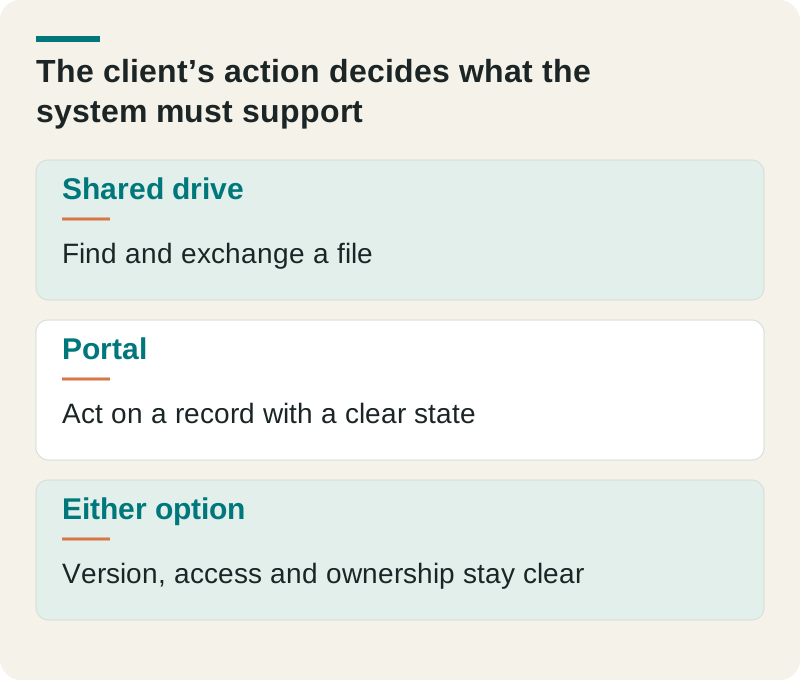
- Shared drive
- Find and exchange a file
- Portal
- Act on a record with a clear state
- Either option
- Version, access and ownership stay clear
Test the rejected deliverable and missing-document path in both options. Include access removal and export at handover. The decision should reflect the complete delivery process rather than whether a portal looks more professional.
Check this before you proceed
- Identify the exact client action.
- Test a revised and a rejected deliverable.
- Confirm another client cannot see the records.
Download this article’s editable worksheet (CSV). Add your evidence, owner, and review date. For the next related decision, read Off-the-Shelf or Custom Client Portal? Test the Hardest Client Action.