
Your new SEO provider asks for your Google password and website administrator login. You want them to begin work, but those credentials also control accounts your business needs long after the engagement ends.
Ask for an access request by system and task. A provider reviewing performance needs different permissions from someone publishing pages or changing measurement. Keep the company in control and grant the capabilities the agreed work requires.
Use a task-based access sheet
This example assumes a provider starts with diagnosis, then receives separate approval to implement agreed changes. Role names for Google products reflect their current documentation; your website platform may use different names.
| System and task | Initial request | Company control and removal |
|---|---|---|
| Search Console: review reports | Restricted user where its view capabilities fit | Company verified owner adds and removes the named user |
| Search Console: submit sitemap or take permitted actions | Full user if the agreed action requires it | Company retains verified ownership |
| Google Analytics: read reports | Viewer at the relevant property | Company administrator revokes property access |
| CMS: prepare content | Draft-author role if available | Company administrator controls publication rights |
| Business Profile: update agreed details | Manager | Company keeps primary ownership and removes the manager |
A CMS may not offer a draft-only role. If it gives all editors publishing rights, agree on the review process and decide whether that access fits the work. The table is a planning starting point, not a claim that all systems support the same permission boundaries.
Verify the role against the action
Google distinguishes Search Console owners, full users, and restricted users. A restricted user can view performance, while submitting a sitemap requires a full user or owner. You do not need to transfer ownership merely to enable that submission.
In Google Analytics, Viewer supports reading settings and data. If the scope includes event or key-event changes, ask which capabilities the provider needs and choose an appropriate role for those actions. Avoid granting account-wide access when the work concerns one property.
For Business Profile, a manager can handle many operating changes while the company retains primary ownership. Invite the provider's named Google account instead of sharing a password.
Separate setup access from ongoing access
Some implementation requires broader temporary permissions. Write down the change being made, the account receiving access, the expected finish date, and the role that should remain afterward.
For example, your internal administrator might approve temporary measurement-editing access for a verified form-submission event. Once the provider demonstrates that the event fires on success and excludes failed submissions, reduce access to the reporting role if no further editing is in scope.
Record tools that connect through authorization as well as people in user lists. Removing a provider's CMS account does not necessarily remove an analytics integration or a publishing connection. Ask your administrator to review both paths at the relevant checkpoint.
Close temporary access with a concrete check
When a provider needs temporary editing access, record the account, system, approved task, finish condition, and intended ongoing role. The company administrator should retain the ability to remove access. A shared password makes that boundary harder to inspect.
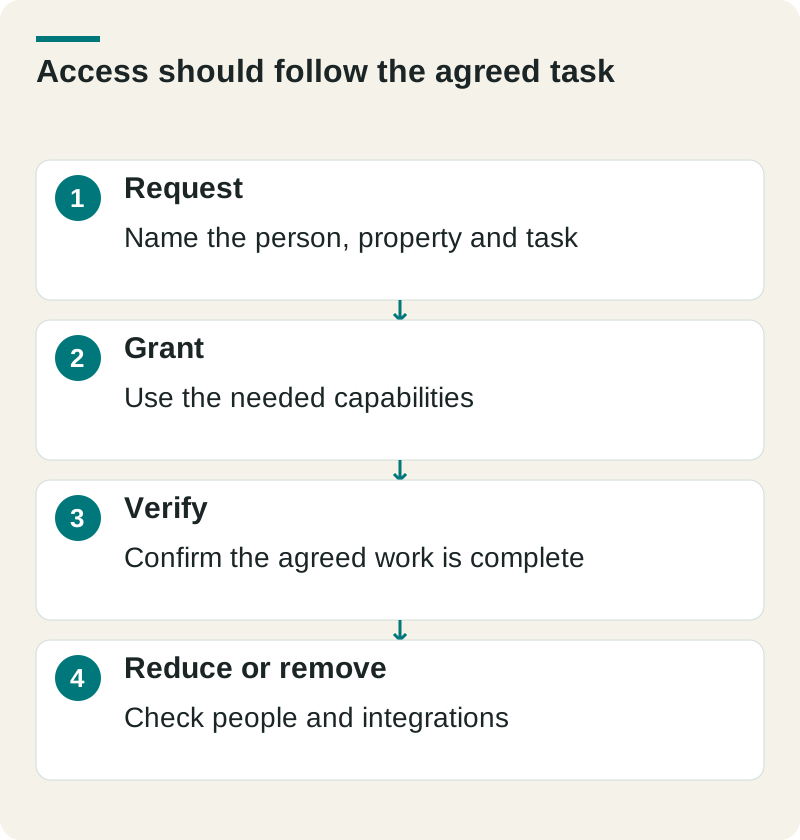
- Request
- Name the person, property and task
- Grant
- Use the needed capabilities
- Verify
- Confirm the agreed work is complete
- Reduce or remove
- Check people and integrations
At handover, review both named users and connected applications. Removing a user may leave an integration authorized. Confirm that the company’s own administrator can still access the account and that the provider’s remaining capabilities match ongoing reporting or maintenance work.
Check this before you proceed
- Check the exact website property.
- Keep company ownership and recovery controls.
- Recheck temporary access after implementation.
Download this article’s editable worksheet (CSV). Add your evidence, owner, and review date. For the next related decision, read Five Questions That Reveal How an SEO Company Works.
Test the access before the kickoff stalls
Have the provider confirm the correct website property, visible period, and permitted task. Your team should confirm that its own administrator can still add and remove users. Keep that evidence in the onboarding record alongside the scope.
Our provider interview guide covers judgment and responsibility. To agree on SEO work and the access it needs, see how The Ops Guide manages account access.