
An audit that flags 300 issues can still leave you unsure why your main service page isn’t showing up in search. Start with a smaller question: can a visitor and a search engine reach the page, understand it, and identify its correct URL?
Choose five pages before opening an audit tool: your homepage, a priority service page, an article, a contact page, and a page that uses a different layout. Check one example from each template, then expand the investigation when you find a pattern.
Follow a page from discovery to content
Open each URL in a signed-out browser. Record the address you requested and the address where you landed. A service page that sends everyone to the homepage has a routing problem even if the browser displays a polished website.
Then inspect the response and the rendered page. Google’s technical requirements include access for Googlebot, an HTTP 200 success response, and indexable content. Meeting those requirements makes a page eligible; it doesn’t guarantee indexing.
Use this worksheet for each sample:
| Check | What to look for | A finding worth acting on |
|---|---|---|
| Navigation | A normal link from a relevant page | The service exists only behind a search box |
| Response | The requested page loads successfully | A real article returns an error, or an invented URL shows the homepage |
| Main content | The headline, explanation, and next step appear | The page shell loads but the service description stays blank |
| Indexing directives | Crawling allowed and no unintended noindex | A launch-era noindex remains on the live page |
| Preferred URL | A canonical that matches the intended page | Several unrelated services point their canonicals at the homepage |
Check what JavaScript adds
Some sites load their text after the initial HTML arrives. That alone doesn’t mean the site is broken. Compare the initial response with the rendered result, and use Search Console’s live URL test for important pages.
Google’s JavaScript guidance explains the extra rendering step. A blank initial response deserves investigation when the rendered content is also missing, delayed by an error, or dependent on an interaction a crawler may never perform.
Keep the diagnosis specific: “The service description does not appear in the rendered result” gives a developer something to reproduce. “Google hates JavaScript” does not.
Keep URL signals consistent
Check links, canonical declarations, redirects, and sitemap entries together. If navigation links to one version while the sitemap lists another, decide which address should own the page and align the signals.
A canonical identifies a preferred version among duplicate or very similar pages. It does not repair a missing page or make distinct service pages interchangeable. Google explains that distinction in its canonicalization documentation.
Turn a finding into a reproducible repair
For a hypothetical audit, a ticket saying “improve technical SEO” leaves the developer to diagnose the problem again. Write the requested URL, the failed check, the expected page content, and the device or test used. Attach the observation rather than the audit score.
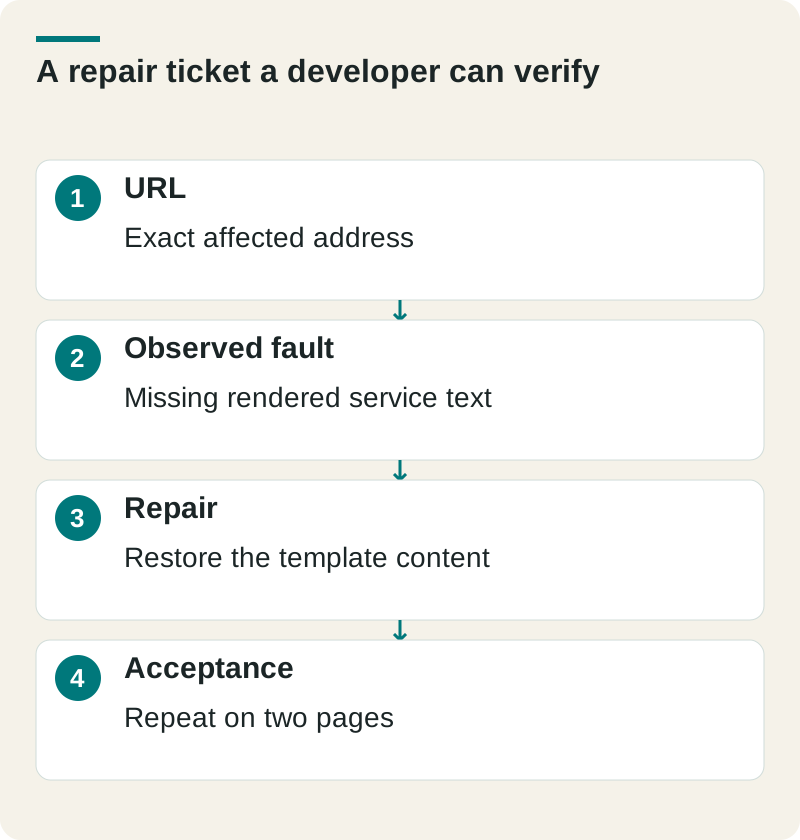
- URL
- Exact affected address
- Observed fault
- Missing rendered service text
- Repair
- Restore the template content
- Acceptance
- Repeat on two pages
After the repair, repeat the original check on that URL and one other page using the same template. Save the before and after evidence. Then inspect the indexed version separately; a successful live test proves current access, not that Google has indexed the change.
Check this before you proceed
- Record the response status and final URL.
- Confirm the important text appears without a click.
- Check the canonical and unintended noindex.
Download this article’s editable worksheet (CSV). Add your evidence, owner, and review date. For the next related decision, read Website Not Showing Up on Google? Find the Problem First.
Put the repair order ahead of the score
For a hypothetical service site, the first three repairs might be:
- Remove an unintended noindex from the primary service page.
- Fix the article template that renders an empty body.
- Replace internal links that pass through an old redirect.
The order reflects access to useful content. A cosmetic warning elsewhere can wait.
Give each repair an affected URL, an owner, and a clear finish condition. After the change, repeat the failed check on that page and another page using the same template. Save the result so the next audit doesn’t reopen a fixed issue.
If you’re comparing audit proposals, our SEO audit deliverables guide covers what the provider should hand over. If you already have findings and need implementation help, talk with The Ops Guide about SEO.