An AI tool can struggle when its information is scattered, inaccessible, or out of date. Data is one possible failure point, alongside model behavior, workflow design, and review. Check the source material before changing tools.
The good news: data-ready does not mean perfect. It means good enough and reachable. Here is what that actually looks like.
What "data ready" means
Four things, in plain terms:
Accessible. The information the AI needs can be reached, not trapped in one person's inbox or a system nobody can export from.
Accurate enough. It does not have to be flawless. It has to be reliable enough that decisions made on it are sound.
Organized. The key data lives somewhere consistent, so the AI is not guessing which version is right.
Permissioned. You are clear on what data can be used, by whom, and where it can go.
If those four are in place, test a bounded sample and review the answers before expanding access or automating actions.
You do not need perfect data
This is the trap that stalls companies for months. They decide they need to clean everything first, and the cleanup becomes a project that never ends.
You do not need all your data ready. You need the data for one use case ready. Pick the project, look at the specific data it touches, and get that good enough. That is a small job, not a transformation.
How to get ready
Pick the use case first. Readiness is always relative to a task. Start there.
Find where that data lives. List the systems and people that hold it.
Consolidate the key pieces. Get them into one reachable place, even a simple one.
Fix the worst gaps. Not everything, just the errors that would lead the AI wrong.
Estimate the work after checking exports, permissions, source quality, and ownership. A small document cleanup and a restricted legacy-system integration can require very different effort.
Test one question against the source records
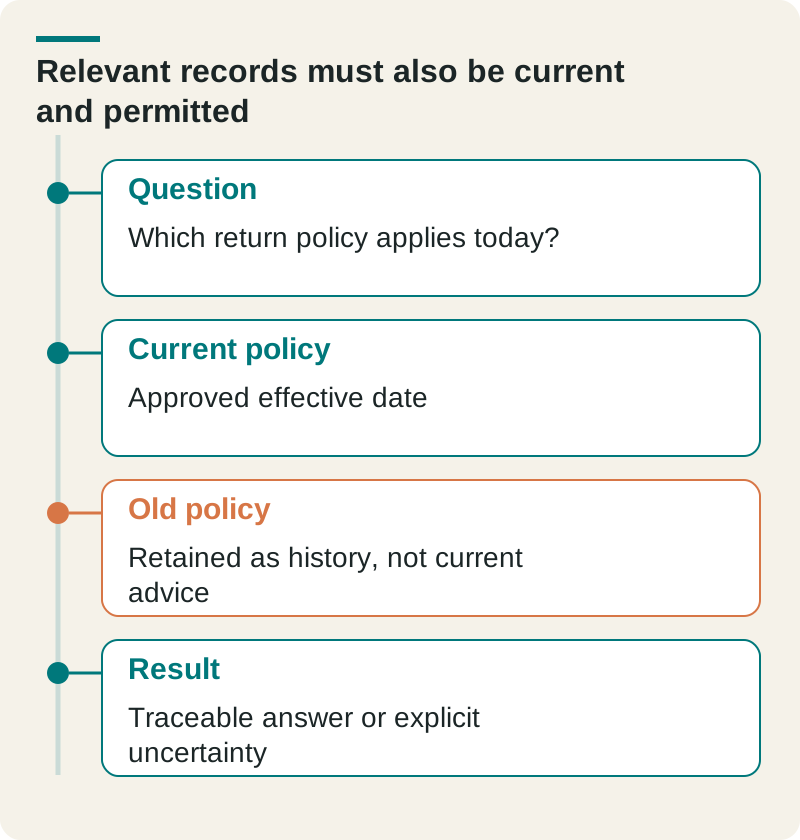
Take one hypothetical customer question and two policy versions. The team should be able to identify which version is current and whether the user may access it. If the AI retrieves the old version confidently, reorganizing the folder alone has not solved the problem.
Relevant records must also be current and permitted. Original planning aid from The Ops Guide. Any example figures are illustrative unless this article identifies a source.
Question
Which return policy applies today?
Current policy
Approved effective date
Old policy
Retained as history, not current advice
Result
Traceable answer or explicit uncertainty
Record source ownership, effective dates, access boundaries, and how a changed record reaches the workflow. Begin with the data needed for one task. Expand after the team can inspect answers and maintain that subset, rather than assuming more documents automatically improve results.
Data is one of the five parts of AI readiness in Is Your Company AI-Ready?. It is the one that most often needs work before a project can succeed.
Our Fractional CAIO service sets priorities and clear limits for data, risk, and review before helping turn the best ideas into working tools.
Frequently asked questions
Q: Does AI need clean data?
A: It needs data that is good enough and reachable, not perfect. Accuracy matters, but the bigger blockers are usually data that is trapped in one place or scattered across systems. Fix access first, then accuracy where it counts.
Q: How do I know if my data is ready for AI?
A: Check four things for the specific use case: is the data accessible, accurate enough, organized in one place, and clear on permissions. Then test a bounded sample and review the answers before expanding access or automating actions.
Q: Do I need to clean all my data before using AI?
A: No. Clean the data for one use case, not your whole company. Trying to fix everything first is how AI projects stall for months.
Luke Thompson is Co-Founder and CEO of The Ops Guide. He writes about practical uses of AI, workflow automation, custom software, and SEO for growing businesses.