Quick answer
Use rules-based automation when you can define the next step from known inputs. Consider an AI agent when the task requires interpreting changing information and choosing among tools or actions. You can combine them: keep the workflow and permissions fixed while using AI for a narrow judgment. Test the smallest approach that meets your acceptance criteria.
Describe one task before choosing the technology
“Automate onboarding” leaves too much room for interpretation. “Create a project after an approved agreement arrives, then ask the account owner for missing setup details” gives the team something it can design and test.
Start with the event that begins the task and the result that ends it. Then identify the decisions between those points. The important question is who or what chooses the next action at each step.
That gives you a way to compare rules, a fixed workflow with an AI step, and an agent without turning the discussion into a contest between product labels.
Three approaches worth separating
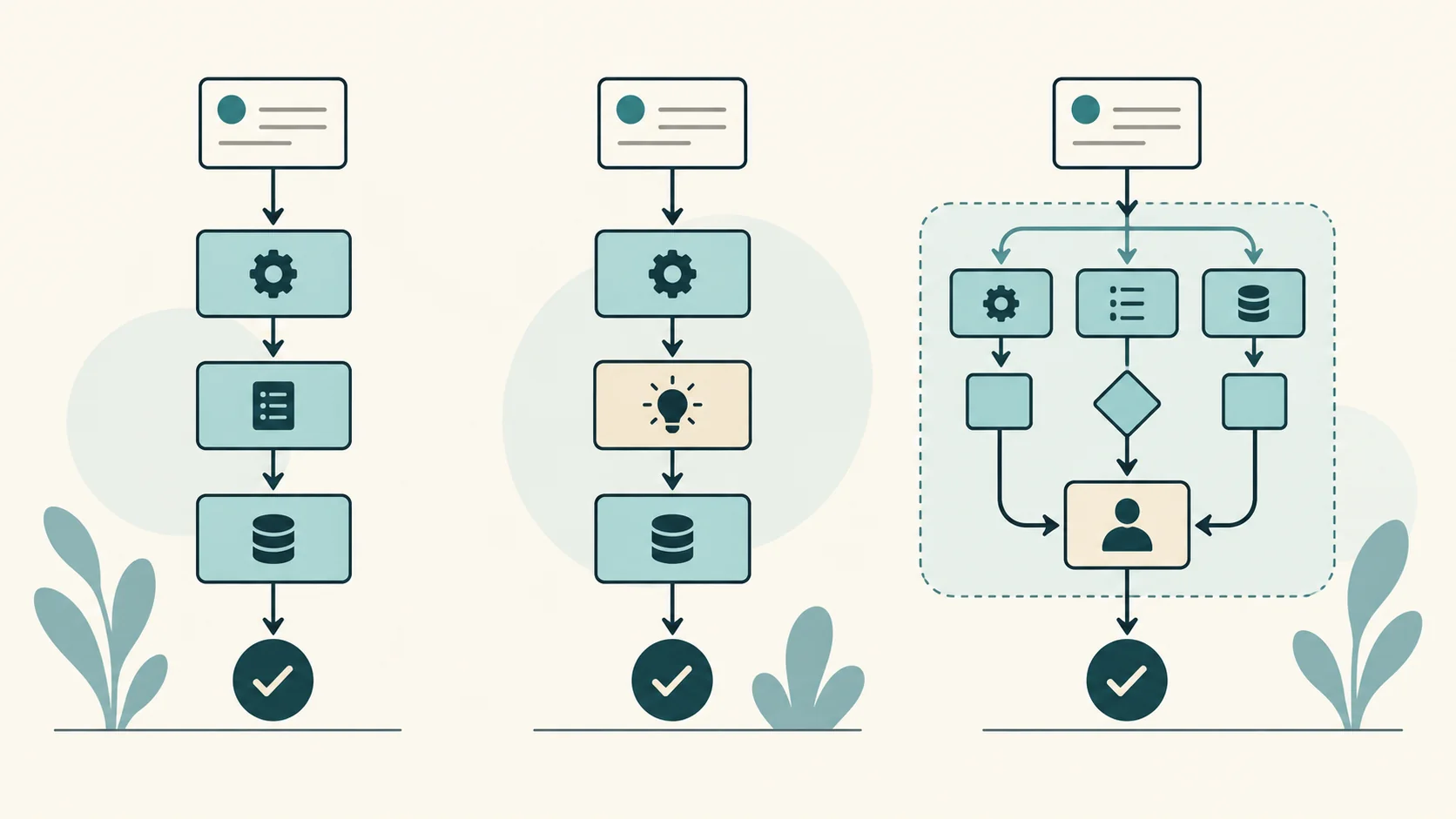
In a rules-based workflow, a builder defines the branches. If an approved record contains the required fields, create the project. If a field is missing, put the request in a review queue. The workflow follows the conditions its builder supplied.
A fixed workflow can also include an AI step. For example, a model might suggest a category for a request written in free text. The workflow can validate the output, route uncertain cases to a person, and keep the remaining steps fixed. Adding that model call does not mean the model controls the whole process.
An agent has more discretion over the sequence. Within its allowed tools and limits, it may choose which information to inspect, what to do next, and when to stop. Anthropic makes a similar distinction between predefined workflows and agents in Building Effective Agents.
Compare the decision each step requires
Use this original comparison as a design aid, not a certification that a workflow is safe.
| Task characteristic | Rules-based workflow | Fixed workflow with an AI step | Agent |
|---|---|---|---|
| Inputs | Structured fields | Some unstructured text or documents | Changing information from several sources |
| Next action | Defined by conditions | Defined workflow around a model output | Model chooses within permitted actions |
| Useful starting case | Copy an approved record into a project | Classify a request for a person to review | Investigate an exception using approved read-only tools |
| Main failure to test | Bad rules, missing data, duplicate events | Incorrect interpretation or invalid output | Wrong action sequence, repeated work, or failure to stop |
| Recovery owner | Named workflow operator | Named operator and review queue | Named operator with a stop and recovery process |
You may use all three approaches in one process. Decide at the task level and keep the handoff between steps visible.
Walk through an onboarding example
Imagine a service team receives an approved agreement and needs to open a client project. This is a hypothetical design example, not a report of a client deployment.
First, a rules-based step checks the agreement’s approval status and looks for an existing project with the same agreement ID. If the project already exists, the workflow returns that record instead of creating another. This matters because systems can deliver the same event more than once.
A lookup alone is not enough when two runs arrive together. The project-creation step needs an enforced unique agreement ID or an API that honors a stable request identifier, often called an idempotency key. Reusing that identifier must return the original result without creating a second project. AWS explains this pattern in Making retries safe with idempotent APIs.
Next, the workflow checks the required setup fields. If the customer supplied them through a form, ordinary conditions may be enough. If the information arrives in an email, an AI step could propose field values for review. The operator should see the source passage alongside the proposed value.
An unusual request may require investigation. A bounded agent could inspect approved project records and the onboarding instructions, then recommend a next action. Initially, keep its output as a draft for the account owner. Broader action permissions should follow evidence from testing, not the fact that the product calls itself an agent.
Limit access to the records and actions this task requires, and enforce those limits in the connected systems. Treat instructions found inside emails or documents as content to inspect, not permission to change the task. Test that an unexpected instruction cannot make the agent access another customer’s records or take an unapproved action.
In this design, the team uses a different mechanism for each type of decision. It also knows where a person takes responsibility for an exception.
Use a five-question decision tree
- Can the team write the next-step rule without interpreting free text? Start with a rules-based workflow.
- Does one step require interpreting text while the surrounding sequence stays fixed? Test a narrow AI step inside the workflow.
- Does the task require choosing among several information sources or tools as new information arrives? Consider a bounded agent.
- Can the team define an acceptable outcome and identify an incorrect one? If not, clarify the task before automating it.
- Is there an owner for failures, a stopping condition, and a recovery path? Add those before allowing unattended actions.
The final two questions apply to all three approaches. A deterministic rule can still produce the wrong result when its assumptions are wrong.
Test against an acceptance sheet
Write the expected result before running the test. Use examples from your process with permission, or use synthetic examples that reflect the same constraints. Include ordinary requests, missing information, conflicting instructions, and repeated inputs.
For each example, record the starting input, permitted actions, expected result, actual result, and the person who reviews the difference. If you are comparing two approaches, run them against the same cases.
Copy these headings into your acceptance sheet: Input | Allowed actions | Expected result | Actual result | Reviewer | Pass or fail.
For the onboarding example, useful checks include: an approved agreement creates one project; a repeated event creates no second project; missing information reaches the review queue; conflicting information stays unresolved until a person decides; an unavailable system produces a recoverable failure.
Also send two copies at the same time, simulate a timeout after the project has been created, and retry the request. Each test should leave exactly one project and a recorded outcome. If the system cannot determine whether a write succeeded, route the case for reconciliation before attempting another creation.
These cases are a starting set. Add cases when the team discovers a new failure. A short successful demonstration is not enough evidence to remove oversight from a task with meaningful consequences.
Include the operating cost
Compare the effort required to run each approach after launch. Someone needs to maintain the rules, inspect exceptions, update integrations, and investigate failures. AI steps also need evaluation when prompts, models, or source material change.
Record the time a reviewer spends correcting outputs. Include the cost of repeated attempts and the work required to recover from an incorrect action. If a more complex approach saves processing time but adds the same amount of review work, the team has not established a useful gain.
Avoid assuming that an agent will replace the whole workflow. A narrow model-assisted step may handle the difficult interpretation while the team retains the routing and approval structure it understands.
Keep the related decisions separate
Choosing rules or an agent concerns how the work proceeds. Choosing whether to build or buy concerns how you obtain and maintain the solution. Our AI build versus buy guide covers that second decision.
For policies that apply across projects, read AI guardrails and governance. Use this article for the design of one task rather than as a substitute for organization-wide data and approval rules.
Test whether the task needs a choice of next action
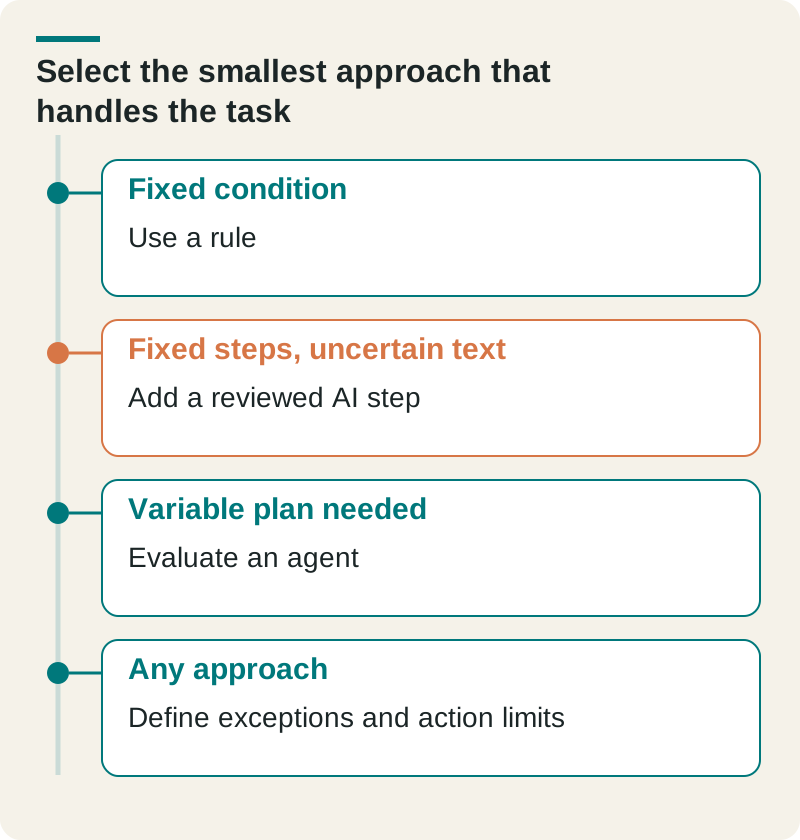
A hypothetical onboarding task can use a rule to create a project after a signed agreement. If it also needs to summarize notes, that can be a bounded AI step inside the same sequence. Choosing different tools and steps for an unclear request introduces another kind of decision.
- Fixed condition
- Use a rule
- Fixed steps, uncertain text
- Add a reviewed AI step
- Variable plan needed
- Evaluate an agent
- Any approach
- Define exceptions and action limits
Demonstrate the variable case before choosing an agent. Record which actions it may take, when it must ask a person, and how the result is verified. A fixed workflow with an AI step can still fail, so compare the operating controls across all three approaches.
Check this before you proceed
- Describe the actual decision at each step.
- Keep external actions within an agreed boundary.
- Test missing information and partial completion.
Download this article’s editable worksheet (CSV). Add your evidence, owner, and review date. For the next related decision, read How to Evaluate an Automation Proposal Before You Approve It.
Your next step
Pick one repeated task. Write its trigger, required inputs, expected result, and exception owner. Mark the steps where a person interprets information or chooses a new path. Those marks show where to test AI and where ordinary rules may be sufficient.
The Operations Guide helps teams design automation and AI agents around their work. Bring one mapped task and a few representative examples to the conversation.
Frequently asked questions
Is a workflow with an AI step an agent?
Not necessarily. A builder can define a fixed sequence that calls a model for one narrow job. Look at who controls the action sequence rather than relying on the label.
Are rules-based workflows free of risk?
No. Incorrect conditions, stale data, broken integrations, and repeated events can produce errors. Test recovery and duplicate handling alongside the normal path.
Can we start with a read-only agent?
Yes. A read-only pilot can help the team evaluate investigation and recommendations before granting permission to change records. It still needs appropriate data access, evaluation, and an owner.